
Vikunja
Your tasks live on your own Vikunja server or Vikunja Cloud. Vicu has no server or account of its own and collects nothing.
A task manager for Vikunja
Vicu is a calm, fast task manager for your own Vikunja server. Catch a task from any app in two seconds, plan your day in Today, and pick up on your phone where your desktop left off.
Free and open source. Works with any Vikunja 2.4 server, your own or Vikunja Cloud.


How it works
No boards and no Gantt charts. A task lands in your Inbox, gets a day, and ends up in the Logbook. Projects and labels are there when you need them.
Where new tasks land, from a hotkey, your voice, a widget or a share.
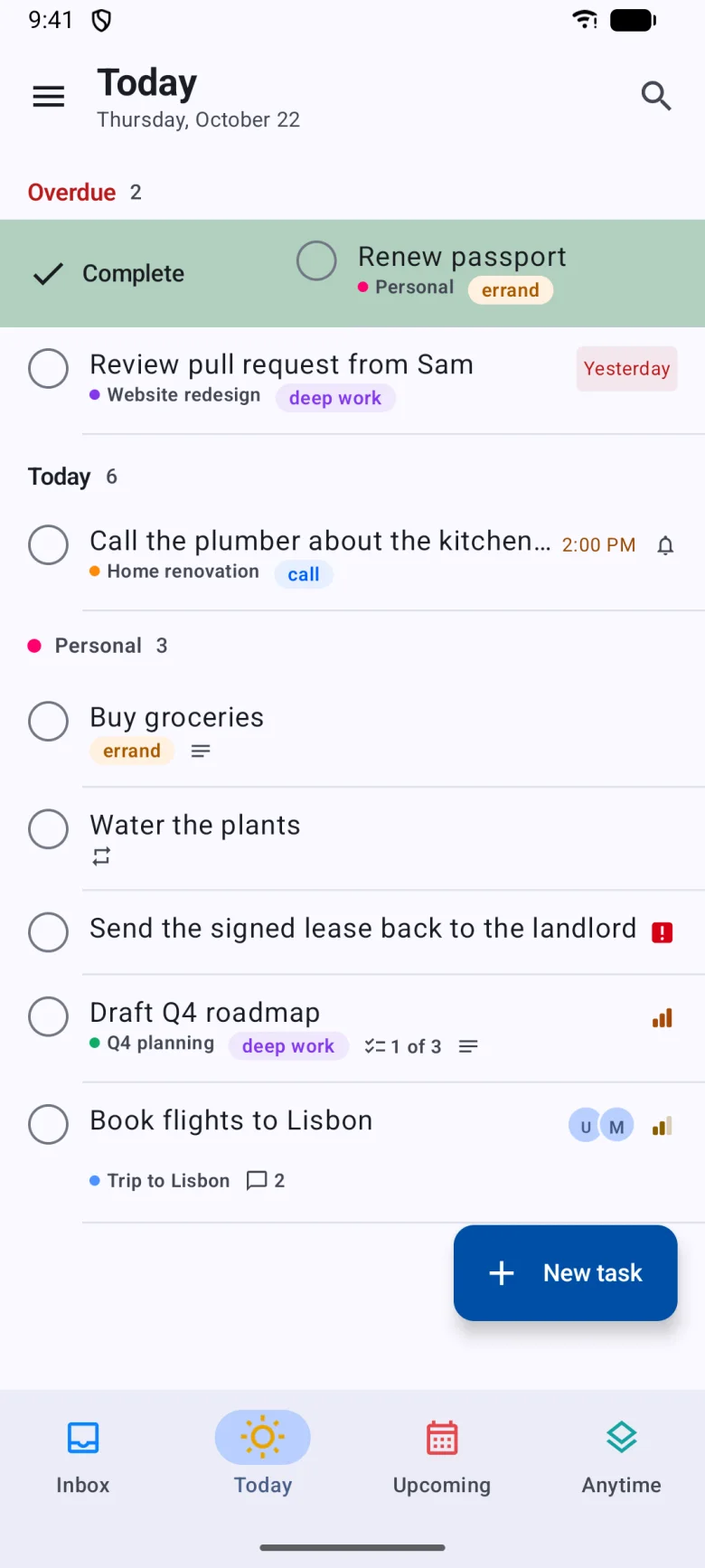
Due today, what slipped from before, and today's routines.
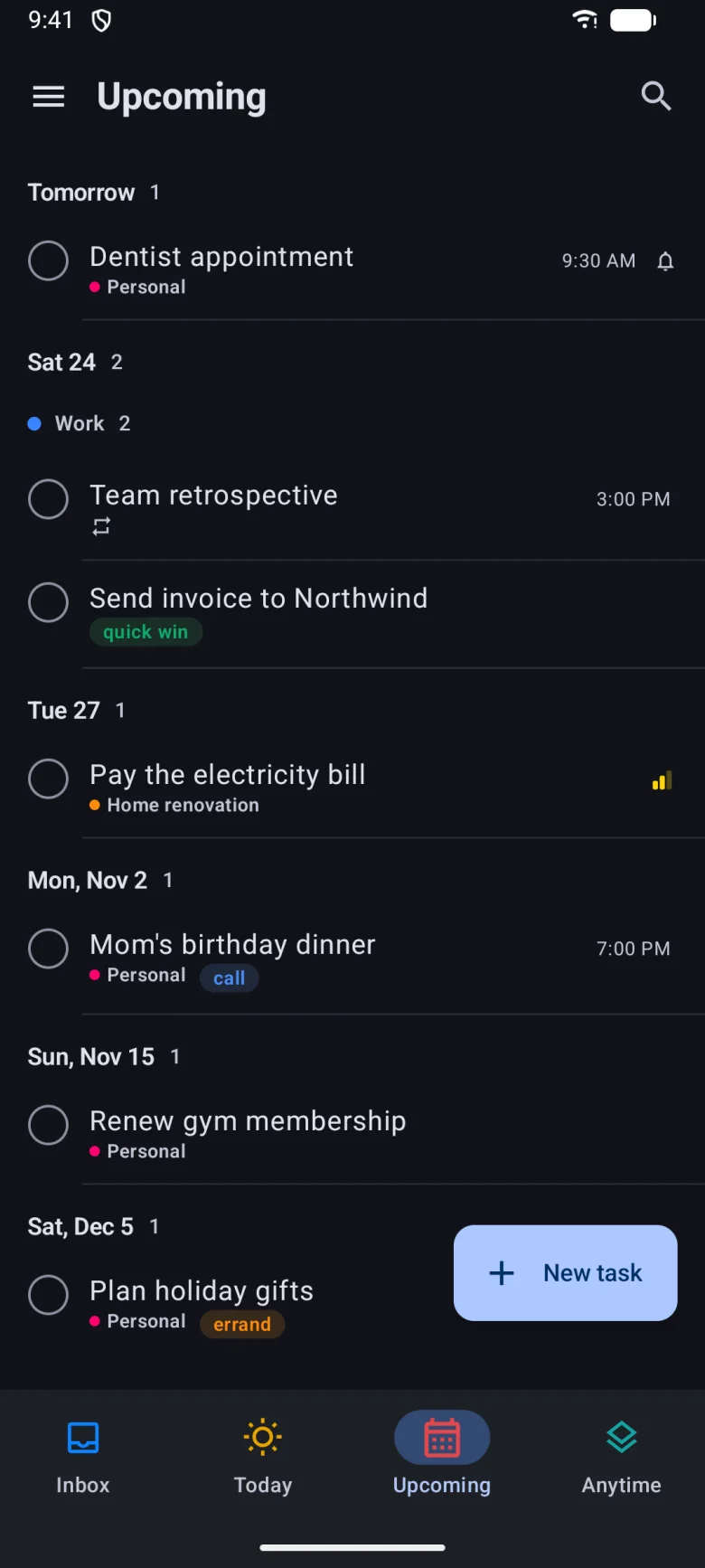
Everything from tomorrow on, grouped by day.
Your open backlog: every task without a day, outside the Inbox.
What you finished, grouped by the day you did it.
Your tasks live on your own Vikunja server or Vikunja Cloud. Vicu has no server or account of its own and collects nothing.
Windows, macOS and Linux. Quick Entry and Quick View from any app, voice input, keyboard first.
Android, iPhone and iPad. Widgets, swipe gestures, Siri, location reminders, and it works offline.
Tour
Both apps read your tasks by one shared set of rules and share one design system, so a due date, a custom list or a task order means the same thing everywhere.


Today shows what is due, an Overdue section for what slipped, and your routines. It follows your own calendar day and rolls over at midnight.Android
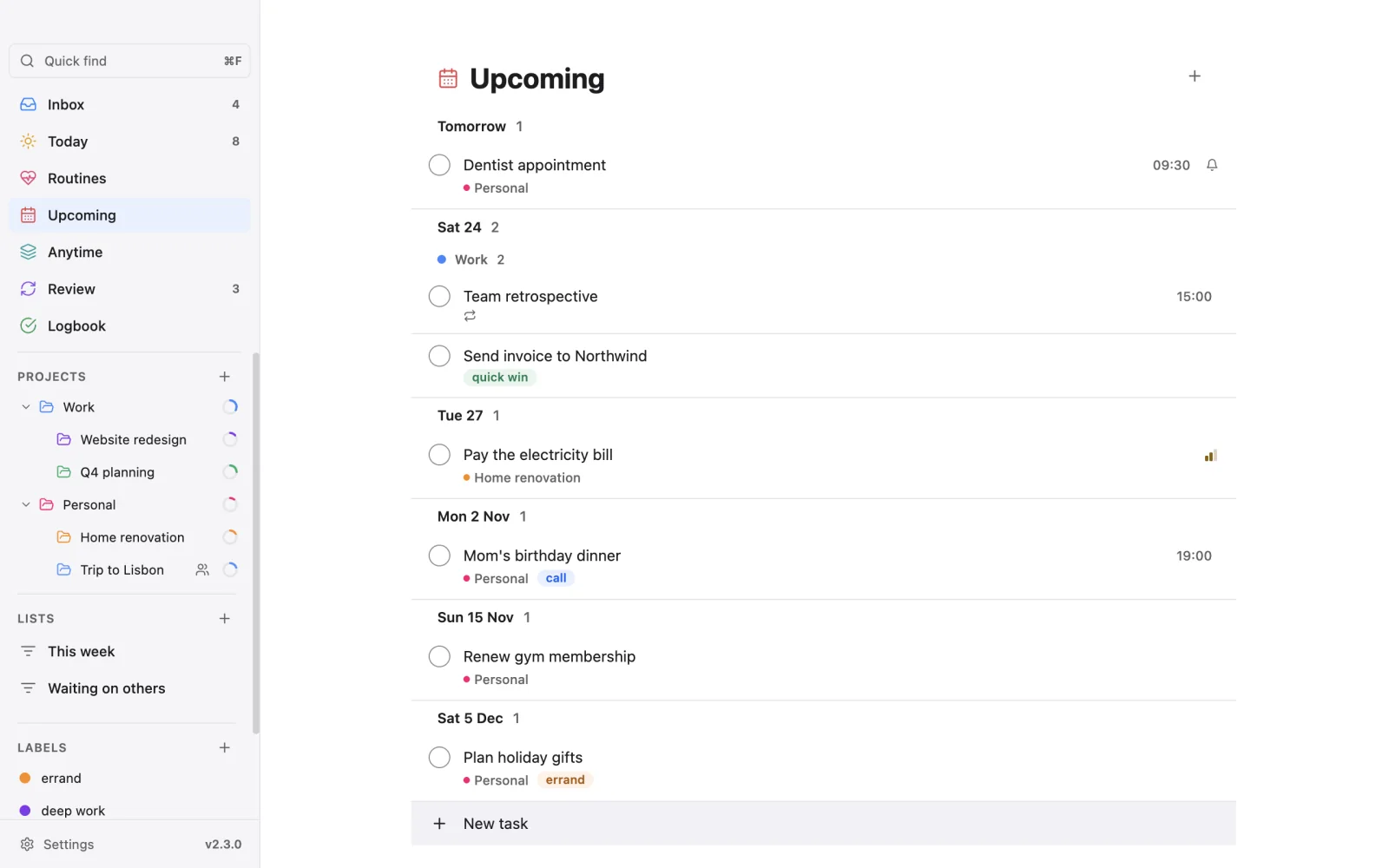
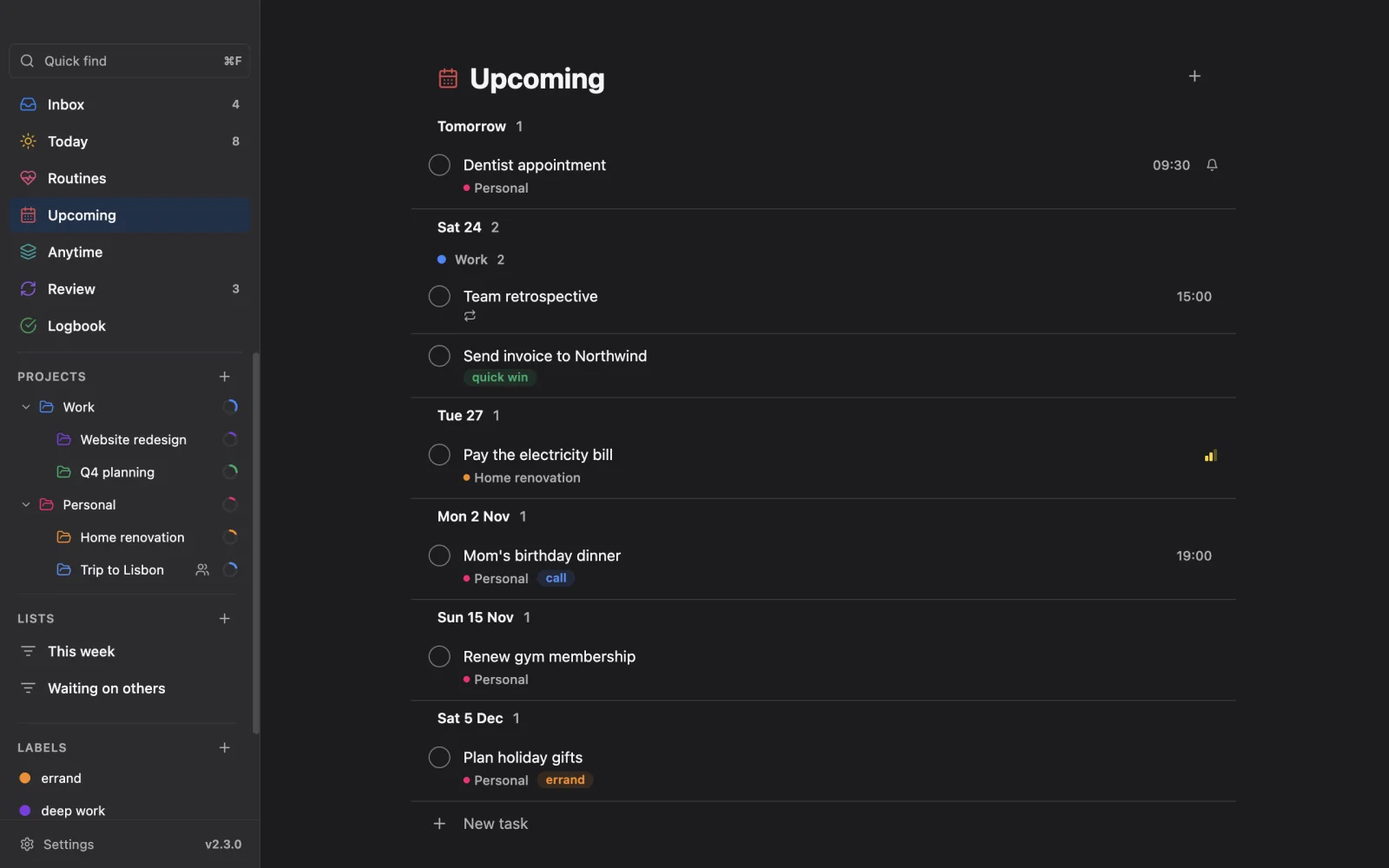


Upcoming lists everything from tomorrow on, day by day. Dates read the same everywhere: Today, Tomorrow, weekdays, then dates.iPhone


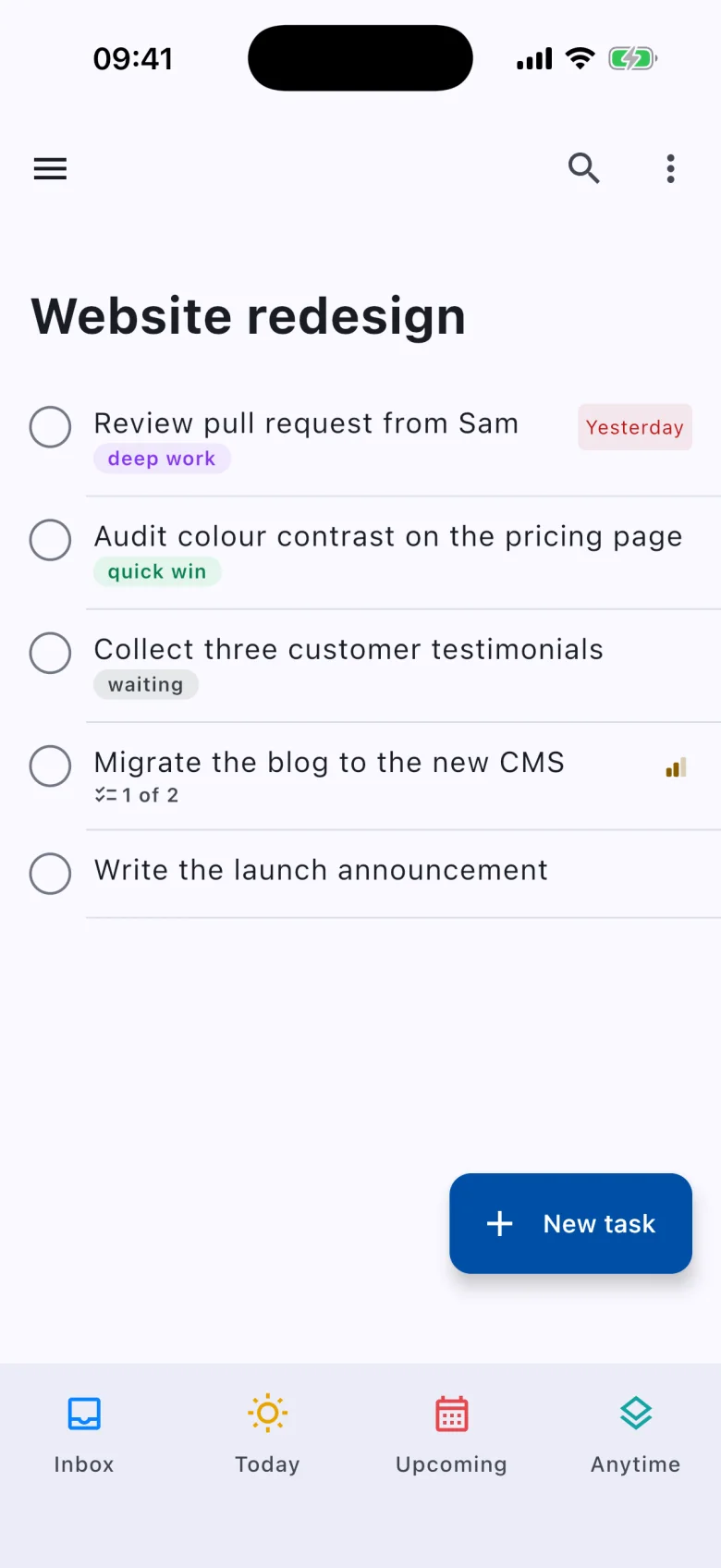
Areas and projects with progress rings, sections, and a sort order per project that syncs to your other devices.Android


Open a task and it grows from its row into a card. What is set shows as chips; what is not waits as a quiet button.iPhone


Custom lists filter by project, label, due window, priority, recent changes and shared work. They are stored on your server, so every device shows the same lists.Android


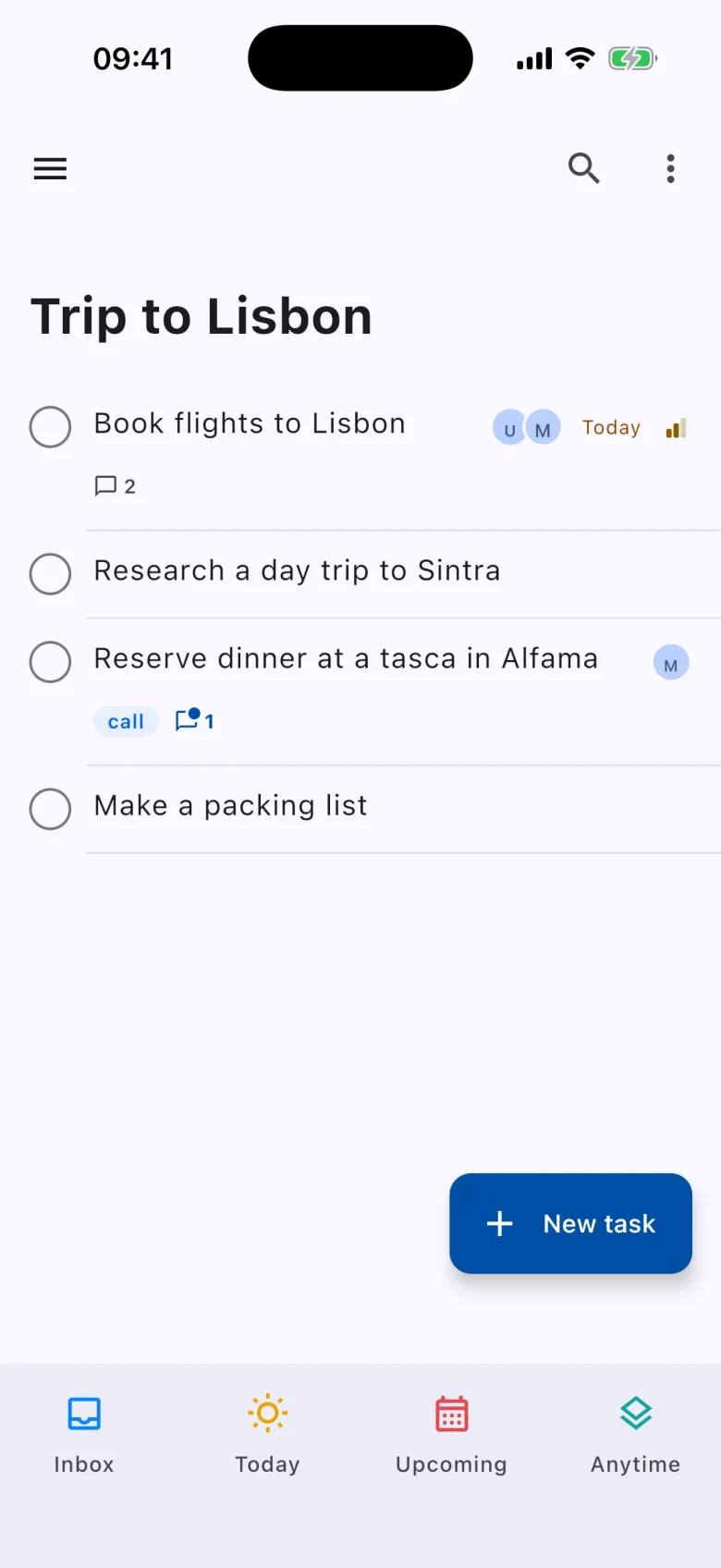
Share a project with the people you live or work with: assign tasks, talk in comments, mention people. If you share nothing, none of it shows.iPhone
Capture
Press a hotkey from any app and Quick Entry floats over what you are doing. Type, press Enter, and it is gone. Press another and Quick View shows your list to check off without switching windows.
AltShiftV Quick Entry
AltShiftB Quick View


Natural language
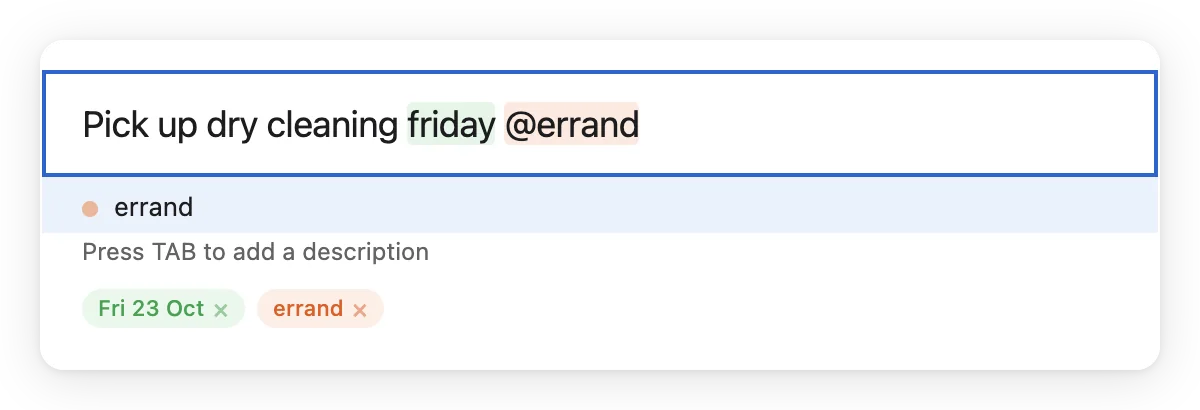
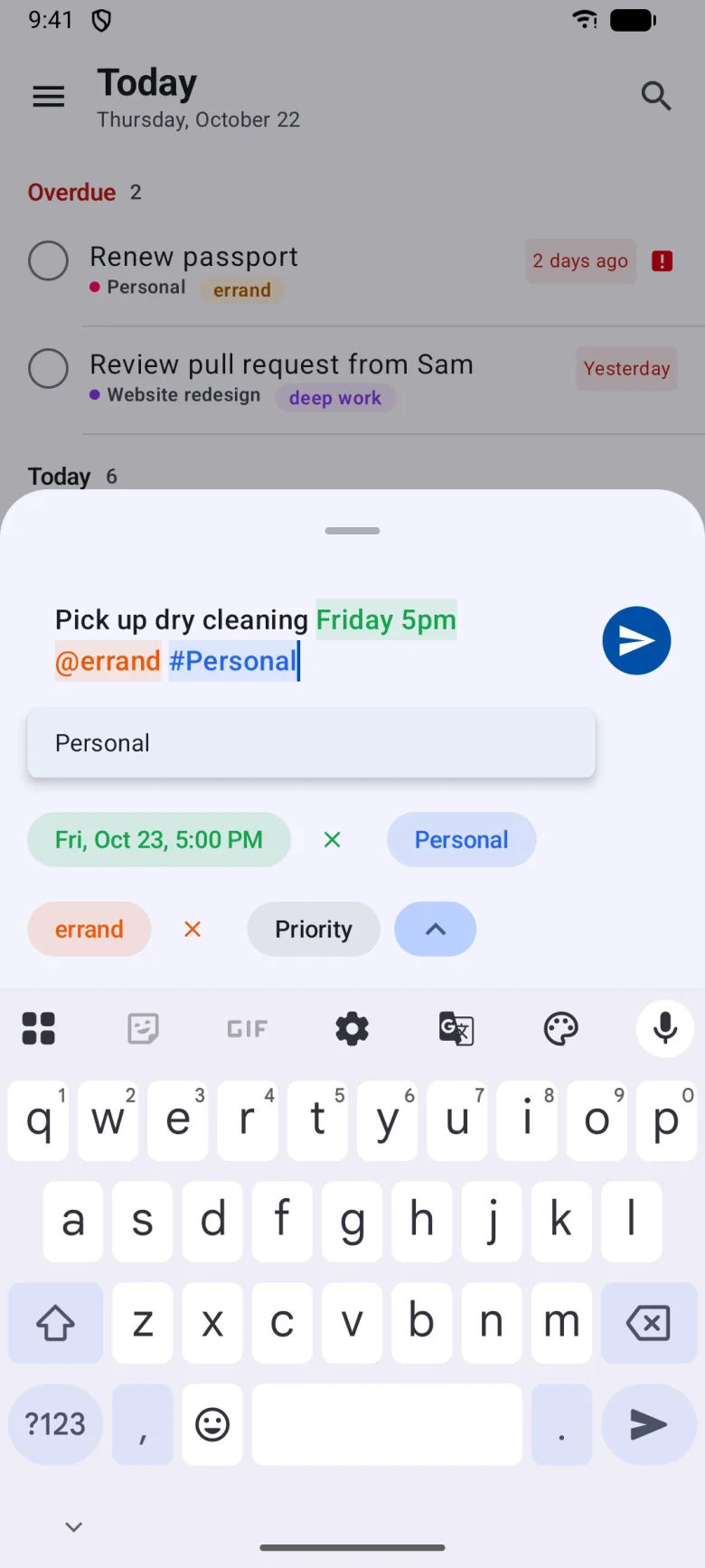
Dates, times, projects, labels, priority and repeats are read as you type, highlighted, and shown as chips you can remove. Everything else is the title. The desktop and mobile apps share one parser and one test corpus.
tomorrow friday in 3 days3pm at 14:00 in 2 hoursjan 15 march 3rd 10/15Buy milk !#work #"side project"@errand @"grocery list"p1 !urgent !highevery friday dailywhen I get home when I leave workPrefer Vikunja's own syntax? Switch to *label and +project in Settings.


Organize
Top-level areas with projects inside, progress rings and open counts. Drag to nest or reorder, with Undo.
Split a project into groups with their own headers and counts.
Your own views by project, label, due window, priority, recent changes, assignee or unread comments.
Coloured labels with always-readable chips and a page each. Drag a task onto one to apply it.
Habits next to your tasks, once or several times a day, with history and CSV export. Never overdue.
Step through your projects on a cadence to keep them current. The status syncs across devices.
Due date, priority, title, newest or manual, per project. Subprojects follow their parent.
Quick find as you type, Search through finished tasks too, and a command palette for every list and action.


Working with tasks


Reminders and sharing
At a set time or relative to a date, with Mark complete and Snooze on the notification. A default reminder for every new dated task.
"Call mom when I get home." Your phone reminds you when you arrive or leave. Where a place is never leaves the phone.
A notification with what is overdue, due today and coming up, at the times you choose.
Invite people on your server to view, edit or manage a project. Sharing a project shares its subprojects.
See who is on a task, talk in a thread beside your list, mention people with @, and follow a task.
Assigned to me, Waiting on others, Unread comments, Changed this week: custom lists that keep a team in step.
Mobile
One app for Android, iPhone and iPad, with each platform's gestures, widgets and shortcuts. It keeps your tasks on the device, so it opens and works without a connection.

A Tasks widget for any list with tap-to-complete, a Routines widget, and on Android a Quick add widget.
Swipe right to complete, left to schedule. A small tap when a task is done or passes a position as you drag.
Inbox first, then any three smart lists, projects or custom lists you choose. A left-handed option moves +.
Desktop
Native on each system: Snap Layouts and Mica on Windows 11, traffic lights and a translucent sidebar on macOS, its own window controls on Linux. A tray icon, and a start at login if you want one.


On a Mac, Ctrl is Cmd and Quick Entry is CmdShiftSpace. Every shortcut can be changed in Settings.
Sync and offline
Create, edit, complete, comment. Changes wait in a queue and go out in order when you are back.
Vicu sends only what you changed, so an edit on your computer never undoes one from your phone.
Your Inbox, task orders, custom lists, places and location reminders are the same on every device.
Your data goes only to your Vikunja server. No account, no analytics, no ads.
Look and feel
Get Vicu
Desktop builds are on GitHub and tell you when an update is out. The mobile apps are in public beta.
Questions
Yes. Vicu is an app for Vikunja, the open-source task server. Run your own, or use Vikunja Cloud. Vicu is built and tested against Vikunja 2.4.0.
Vikunja's web app is a full project suite with Kanban, Gantt and tables. Vicu is a personal task manager that trades those for speed and a simple flow, with just enough sharing for a household or a small team. They use the same server, so you can use both.
Yes, and open source under the MIT license. The code for the desktop app and the mobile app is on GitHub.
No. There is no Vicu server, account or analytics. Your tasks go only to your Vikunja server, and on iPhone your sign-in stays in the Keychain. Read the privacy policy.
Yes. Both apps follow one written specification for due dates, weeks, custom lists, quick add, routines and task order, and run the same test cases. A task due "friday" is the same Friday everywhere.
Vikunja has no place for an app's own data, so Vicu keeps custom lists, routines and synced settings in tasks it marks done and hides. You may see them elsewhere, for example "Vicu preferences"; leave them in place.
On Android, iPhone, iPad, macOS and Windows. On Linux, holding + opens the composer instead.
Open an issue for the desktop app or the mobile app.

Vicu for Windows, macOS, Linux, Android, iPhone and iPad.